
How to Update Your Unit Pin
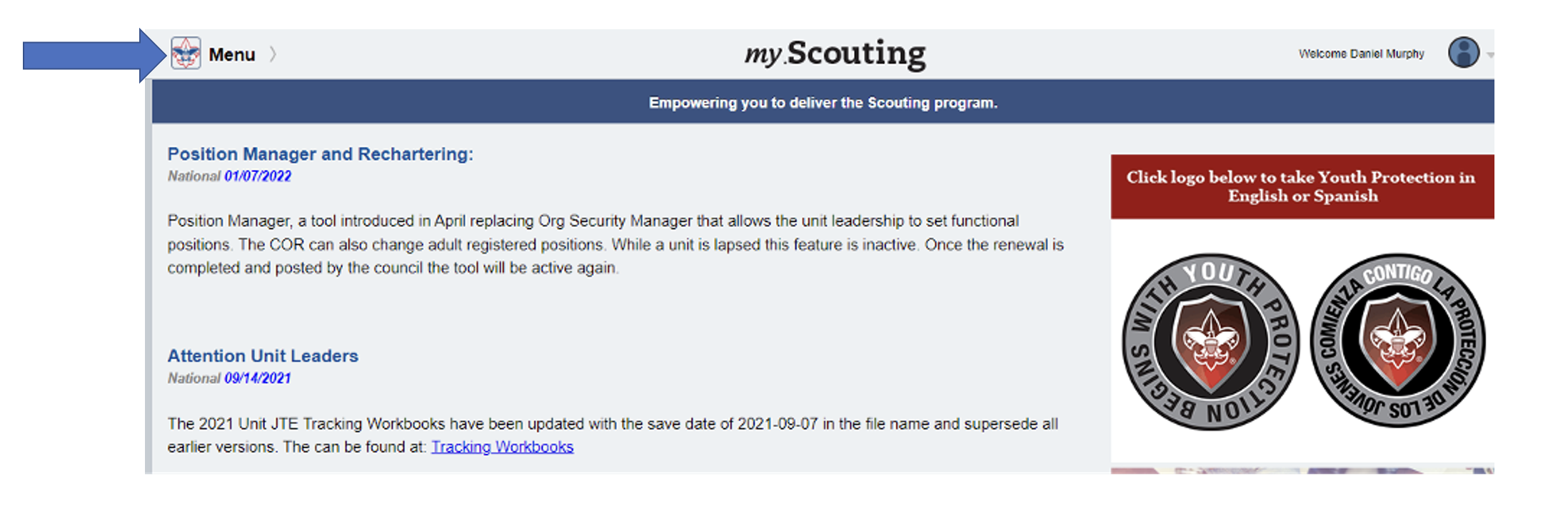
- Any of the Key 3 (Unit Leader, Committee Chair, or Chartered Org Rep) can log in to their my.scouting account. Then click on the Menu button.
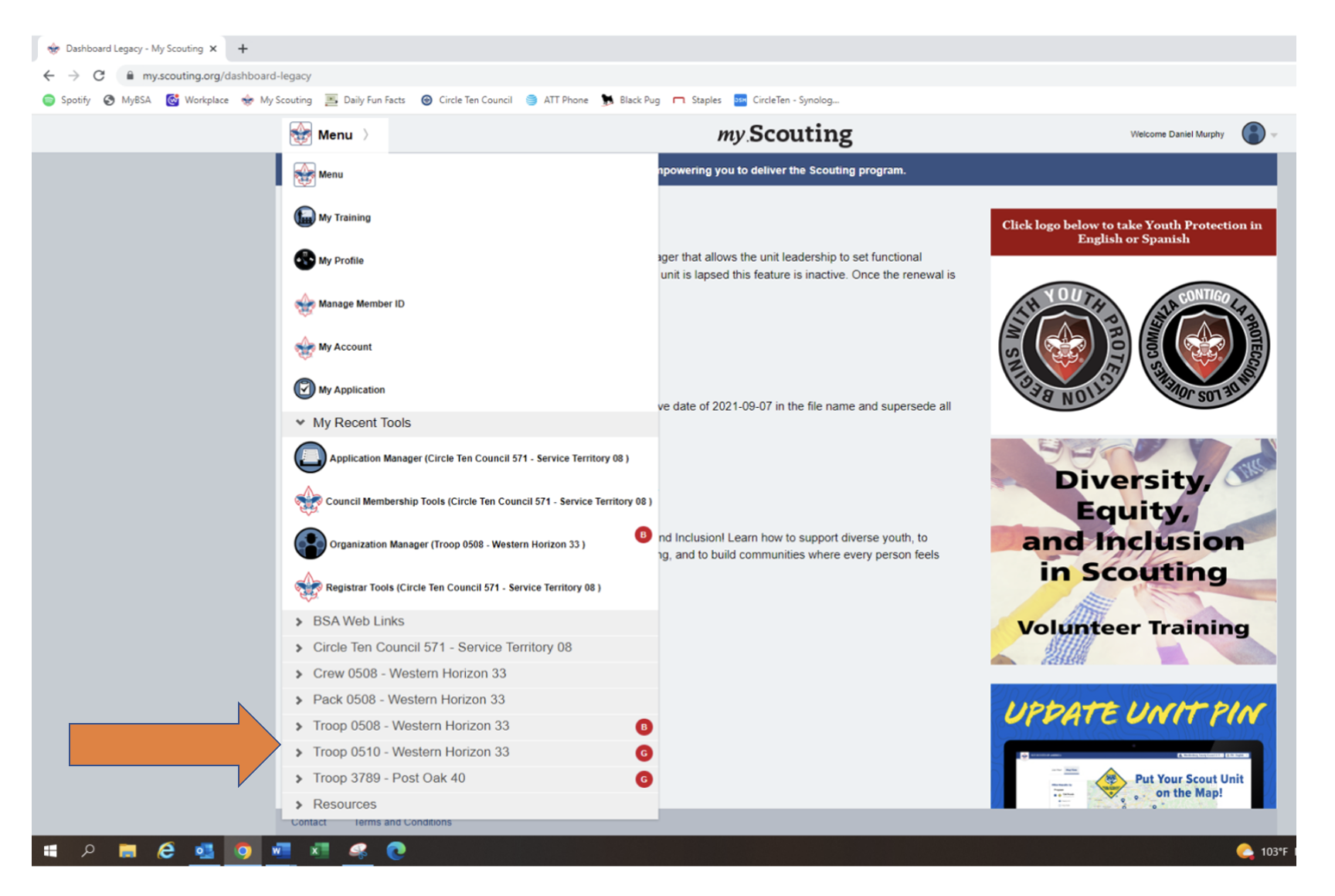
 Scroll down to find your unit, then click on your unit.
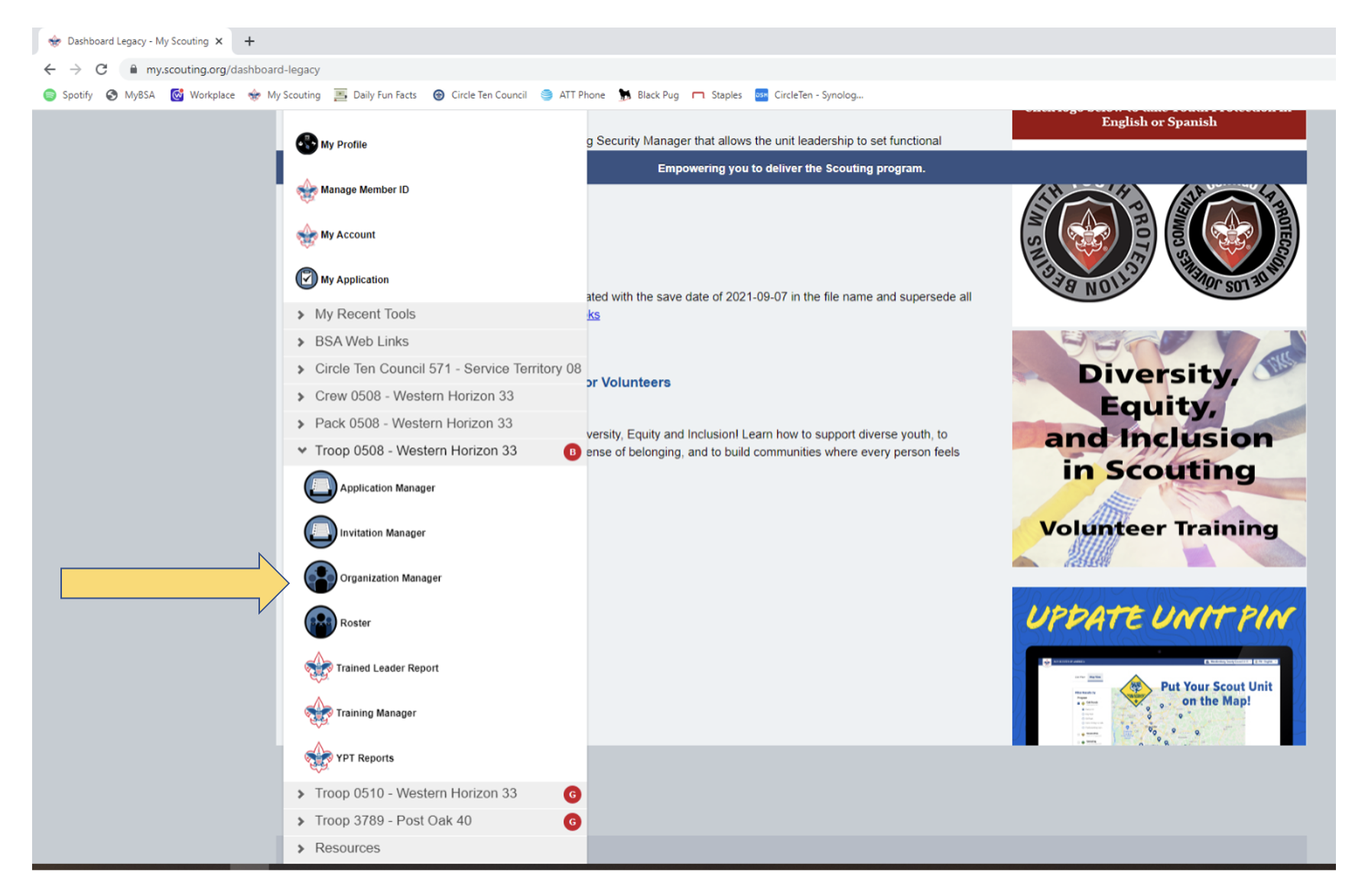
- Click on Organization Manager
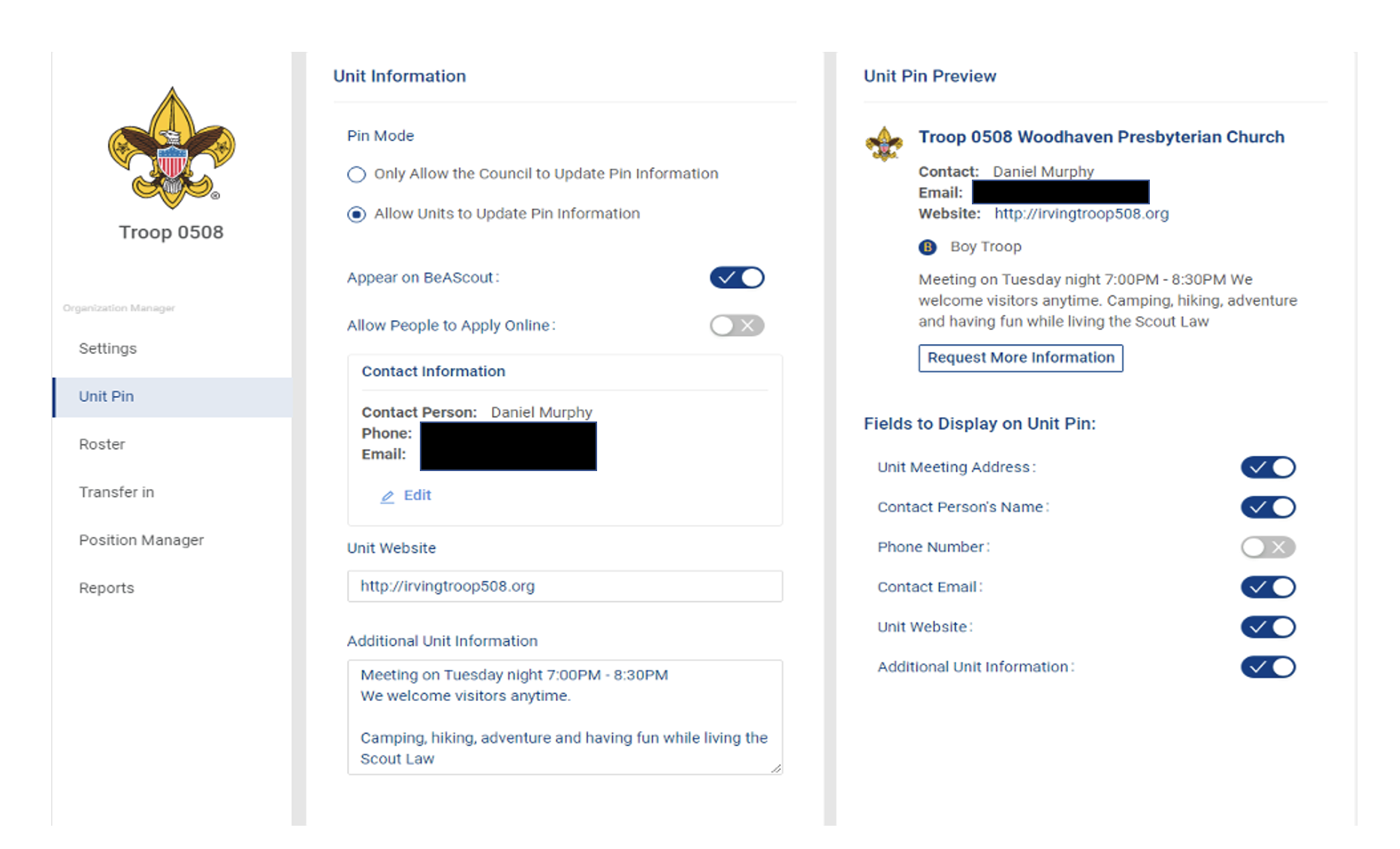
This landing page is where you can make some adjustments for your unit’s Pin like the Auto Accept Youth Applications and allow adults to apply online. All updates take 24 hours to complete.
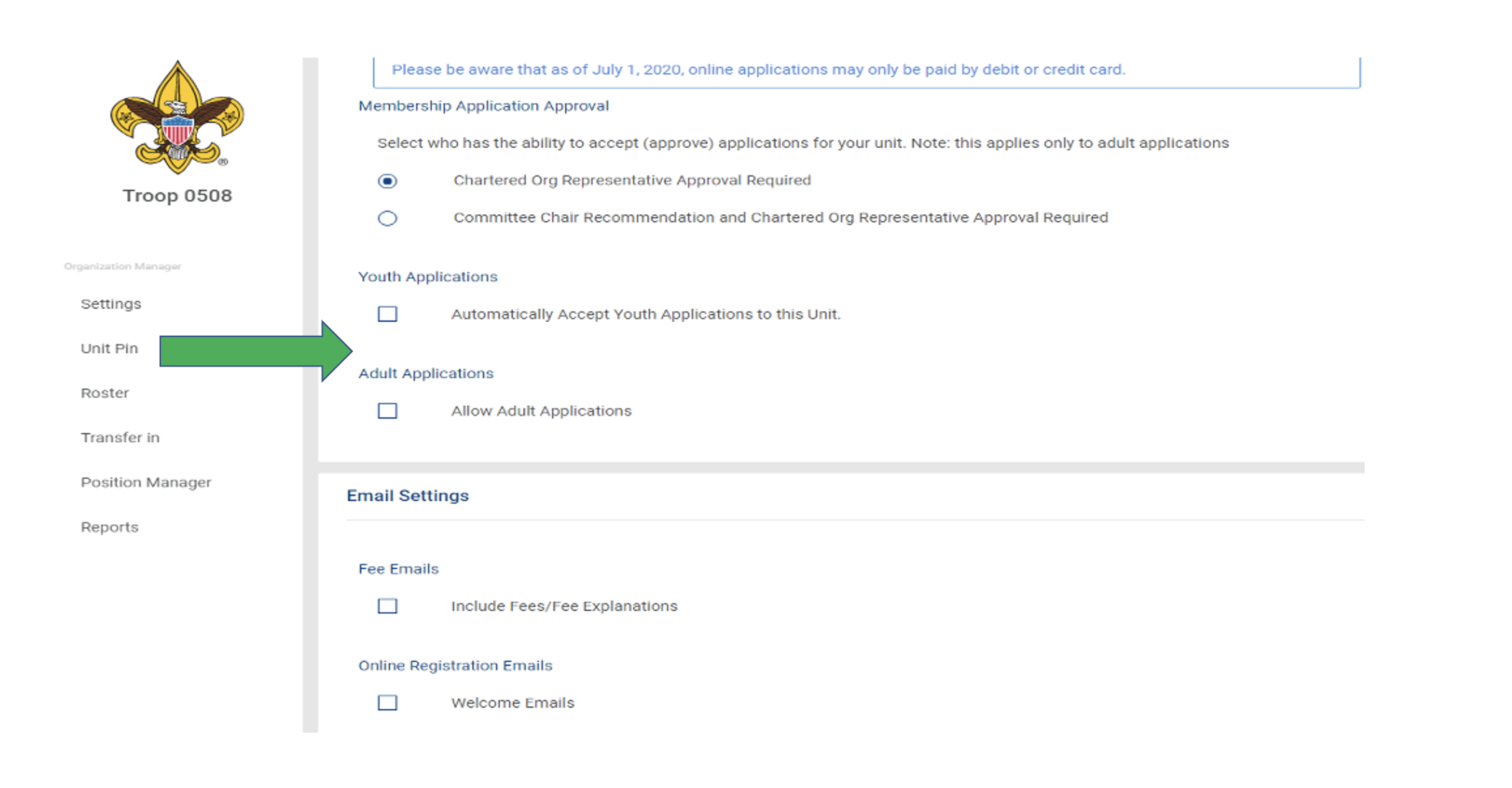
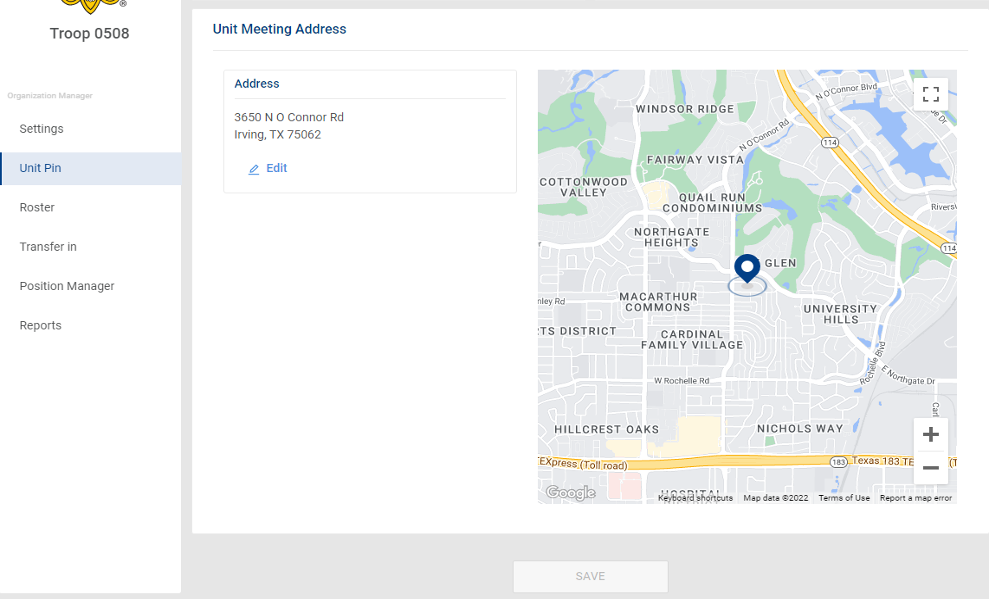
- Under the Unit Pin tab, this is where units can update their unit’s information as it would appear on beascout.scouting.org. Any updates will take 24 hours to complete.
Channels: